Mini sessions
A mini session is a package with set dates and short time slots, such as a morning of 20-minute holiday sessions. Clients choose an open slot and book it straight away.
Setting up a mini session
- Select WEBSITE > Packages in the left menu, then add a package or open one. See Packages and booking options.
- Under Package Information > Booking Options, choose Mini Session.
- Under Duration of Coverage, enter the length of one session. For a length in minutes, switch Hours to Minutes first.
- Enter where the sessions take place under Meeting Place.
- Under Dates, click Add Date & Time and choose a date. Add one for each day of sessions.
- Click Save.
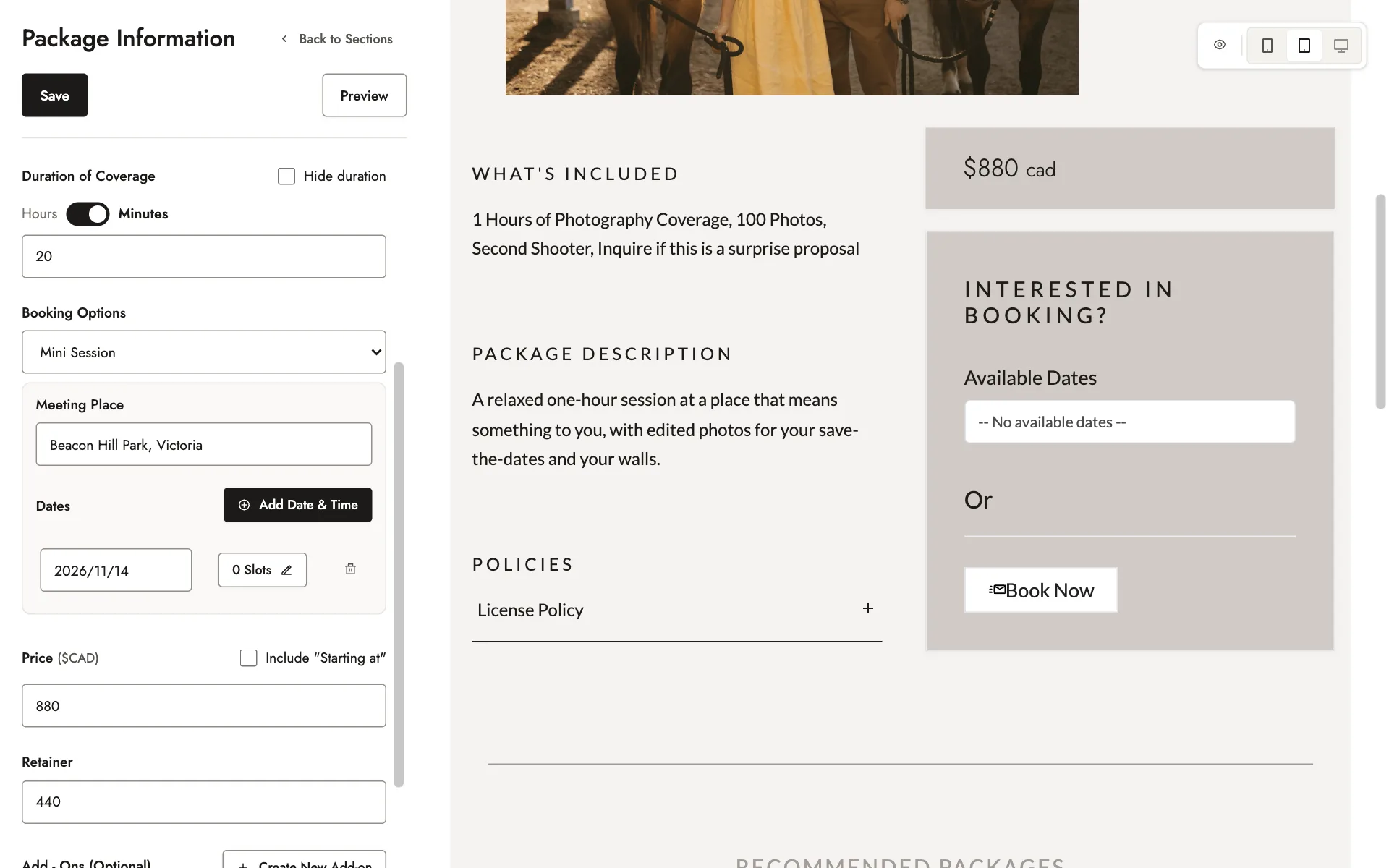
Under Retainer, enter the amount clients pay when they book. Leave it empty to charge the full price.
If you change a mini session to another booking option, its meeting place, dates, and time slots are cleared.
Adding time slots
- Beside a date, click its slots button, which starts as 0 Slots.
- Under Work Time, choose when your first session starts in From, and when your last one must end in To.
- Under Gap, enter the minutes to leave between sessions.
- Click Generate TimeSlots, check the slots, then click Save.
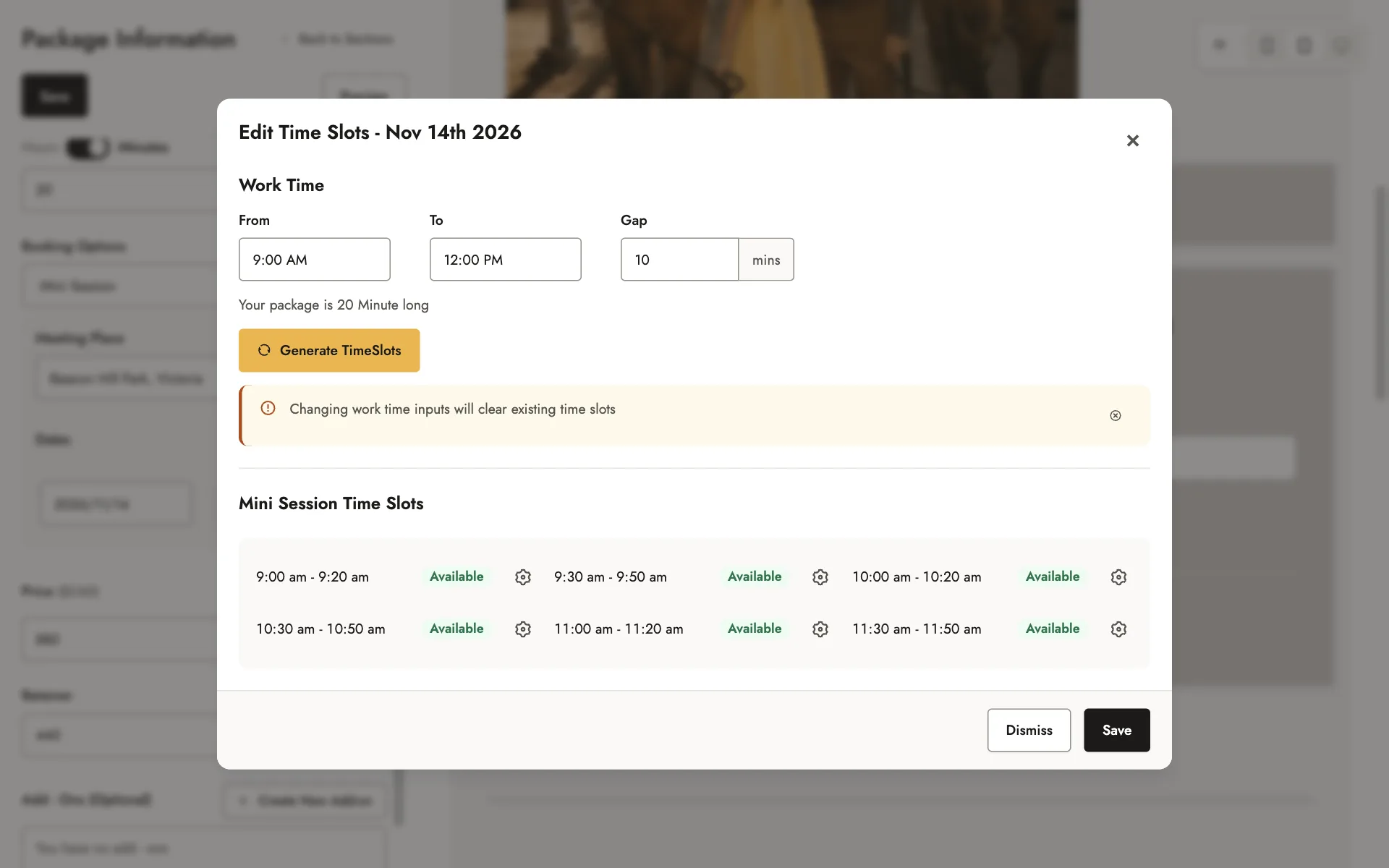
To add a single slot, click Add TimeSlot, choose its start time, and click Add Slot. To change a slot’s time, mark it booked or available, or delete it, click the gear icon beside it.
Once a slot on a date is booked, you can’t generate that date’s slots again. You can still add and change slots one at a time.
A mini session needs a meeting place and at least one time slot before you can publish it.
When clients book
Clients choose one of your dates, then an open time slot, and fill in their details. Booked slots still show, but can’t be chosen.
If Stripe is connected, clients pay as they book. See Getting paid.
Related guides
- Packages and booking optionsAdd and publish a package, choose how clients book it, create add-ons, and organize your packages page.
- Getting paidConnect Stripe, set your tax rate, schedule payment reminders, record outside payments, and see your revenue.
- Your calendar and availabilityConnect Google Calendar, set the days and hours clients can book, and add a buffer.
- Receiving client inquiry and booking emailsFocal’s email addresses, and how to keep its emails out of spam in Gmail, Outlook, and Yahoo Mail.
Still need help?
Email contact@bookfocal.com and a member of our team will help you.